Dumpster rental software that tracks every container
Know where every container is, when every rental expires, and what every customer owes. The dumpster management software built for operators tired of spreadsheets.
No credit card required. Setup takes 2 minutes.

Every roll off dumpster. Accounted for.
Stop losing track of containers. See which roll offs are on site, available, or overdue at a glance.

Your fleet at a glance
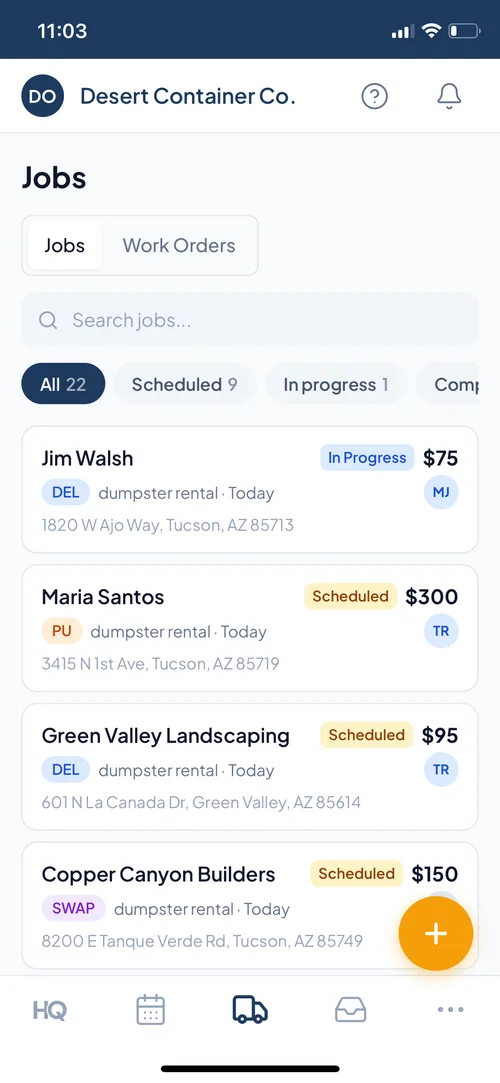
Track every container

Schedule deliveries and pickups

Capture rental leads
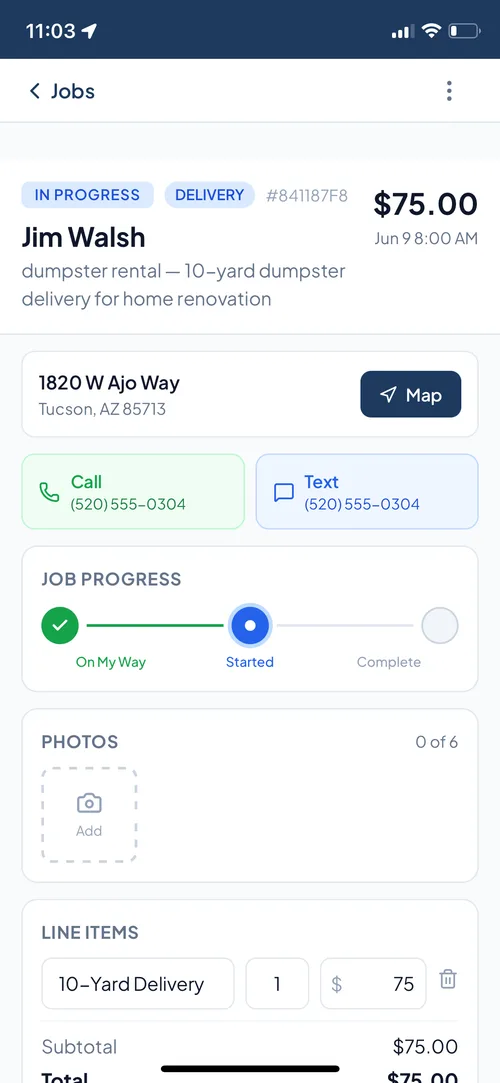
On-site delivery tracking

Collect payment on-site
Your fleet at a glance
Track every container
Schedule deliveries and pickups
Capture rental leads
On-site delivery tracking
Collect payment on-site
Swipe to explore
Everything a roll off operator needs
Jobber does not know what a rental period is. Workiz does not track inventory. HaulHQ does both.
Container inventory
Track every dumpster by size, location, and status. Know how many 20-yarders are available right now.
Rental period management
Set start/end dates. Automated reminders before expiry. Extensions handled in one tap.
Overage and extension billing
Auto-calculate overage charges. Invoice extensions without manual math.
Online booking with availability
Customers see availability and book online. No phone tag. Calendar syncs automatically.
Weight and tonnage tracking
Record dump weights per container. Track disposal fees. Know your true cost per rental.
Automated reviews
When the rental is paid, the review request goes out on its own. Or send one with a tap. Build your Google rating on autopilot. No add-on fee.
Also do junk removal? See how HaulHQ handles junk removal from the same dashboard.
Dumpster rental software features, explained
The six things dumpster management software has to do well, and how HaulHQ handles each one for a roll-off business.
Roll-off dispatch and scheduling
HaulHQ works as roll off dispatch software. Assign every delivery, pickup, and swap to a driver and a truck, then watch the day run on one board. Drag a job to a driver and they get the stop on their phone with one-tap navigation. The board updates the moment a container drops or hauls. No whiteboard, no group text, no wondering which truck has the 30-yarder.
Container inventory and tracking
Every dumpster you own is a tracked asset with a size, a status, and a location. When a can goes out on a job, HaulHQ flips it to deployed and counts it out of your available pool, so the online booking calendar never sells a size that is not on the yard. You always know how many of each size are free, on site, or overdue.
Rental periods, extensions, and overages
Set a start and end date on every rental. HaulHQ reminds the customer before the period ends, and when they keep it longer you approve the extension in one tap. The overage is priced from your daily rate automatically, and the extra days and extra charge land on the invoice without you doing the math.
Online booking with live availability
Customers pick a can size and their delivery and pickup dates and book from your site, day or night. They pay by card at checkout, type a discount code if you gave them one, accept your rental agreement, and tell you whether morning or afternoon suits for the drop. The same flow runs on your free HaulHQ page. Availability is live and tied to your real inventory, so two customers can never book your last 20-yarder for the same week. The booking drops straight onto your schedule.
Invoicing and on-site payment
Send an invoice the second a rental is booked, or collect a card in the field. Payments run through Stripe straight to your account, deposits and full balances both, and every dollar shows up against the job so your books match your yard.
Weight, tonnage, and disposal cost
Log the dump weight on every haul and HaulHQ tracks your tonnage and disposal fees per container. You see your true cost per rental, not just the revenue. That is the number that tells you whether a job actually made money.
Dispatching boxes all day? Roll-off dispatch and box tracking has its own page. Or see how HaulHQ stacks up against Docket, Bin Boss, and the whole category.
How dumpster rental software runs a roll-off job
One booking, followed all the way through, from the customer's tap to the review request after pickup.
Customer books online
They pick a size, a delivery date, and a pickup date on your site. The price shows before they commit, and the booking lands on your board as a real job.
Dispatch assigns the drop
You assign the delivery to a driver and a truck. HaulHQ pulls that container out of available inventory so nobody double-books it.
Driver delivers and documents
The driver navigates to the site, drops the can, and marks it delivered with a photo. The customer gets a confirmation text.
The rental period runs
HaulHQ counts the days against the agreed end date and reminds the customer before it expires. Extensions and overages price themselves.
Pickup and dump
When the rental ends the haul is scheduled, the driver picks up the can, and the dump weight is logged against the job.
Invoice, payment, review
The final invoice reflects the rental, any overage, and disposal. The customer pays by card or link, the container returns to available, and HaulHQ sends a review request automatically.
Calculate your dumpster rental costs
Drag the sliders. Plug in your numbers. See exactly what you’d pay.
The card slider adds HaulHQ's 1.5% platform fee on cards run through HaulHQ. Stripe's own processing rate is billed separately by Stripe and is not part of this number.
per service type
HaulHQ vs. Docket vs. generic tools
The only dumpster rental software that combines Docket-level operations with AI lead intake, a free website, and transparent pricing.
| Feature | HaulHQ | Jobber / Workiz | Docket |
|---|---|---|---|
| Starting price | $0/mo | $49+ / unpublished | Contact sales |
| Per-user fees | $0, unlimited | Team-size bands / $55-65 per extra user | Unknown |
| Junk + dumpster in one platform | Partial | ||
| AI chatbot lead intake | Included | AI receptionist / separate add-on | |
| Free branded website | Paid | ||
| WordPress integration | Free plugin | ||
| Container tracking | |||
| Rental period management | |||
| Overage auto-billing | |||
| Online booking + availability | |||
| Automated reviews | Included | $79/mo / $$ |
See the full pricing breakdown or create your free account.
“I used to lose track of leads because they were spread across my phone, email, and DMs. HaulHQ put it all in one dashboard and now I can manage every job from first call to payment without anything slipping through the cracks.”
Get a dumpster rental website. Free.
Every account includes a branded page with online booking and live availability. Already have a site? Keep it. A free WordPress plugin, or one HTML tag on any site that lets you paste it.
No website? You do now.
Every account gets a branded page at yourname.haulhq.app -- your services, reviews, and online booking. Share it in minutes, not weeks.
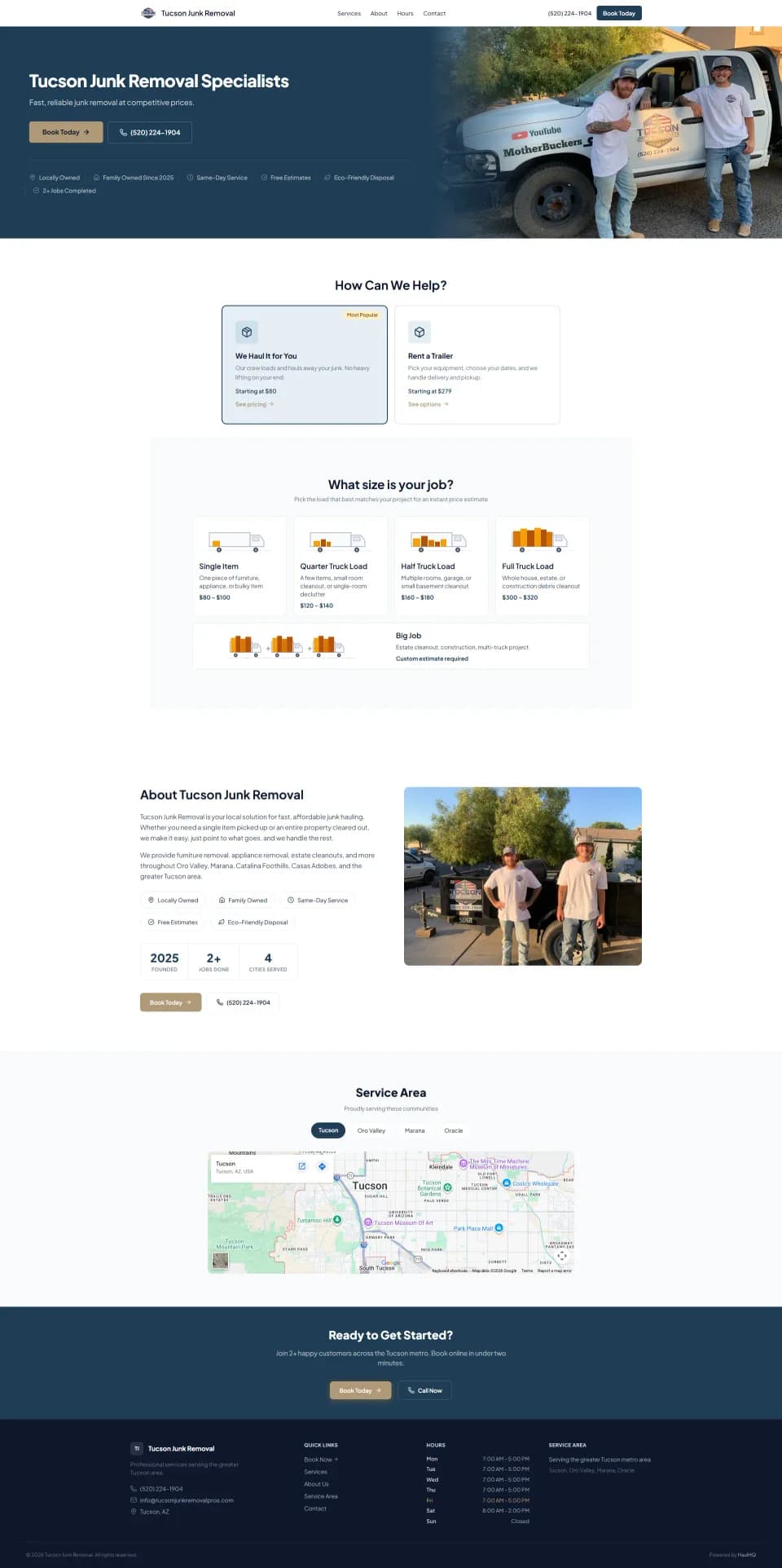
Already on WordPress? Plug right in.
The free bridge plugin adds HaulHQ booking, AI chatbot, and service listings to your existing WordPress site. Your theme, your domain, your branding. No migration.
Available on WordPress.org -- install it from the official plugin directory
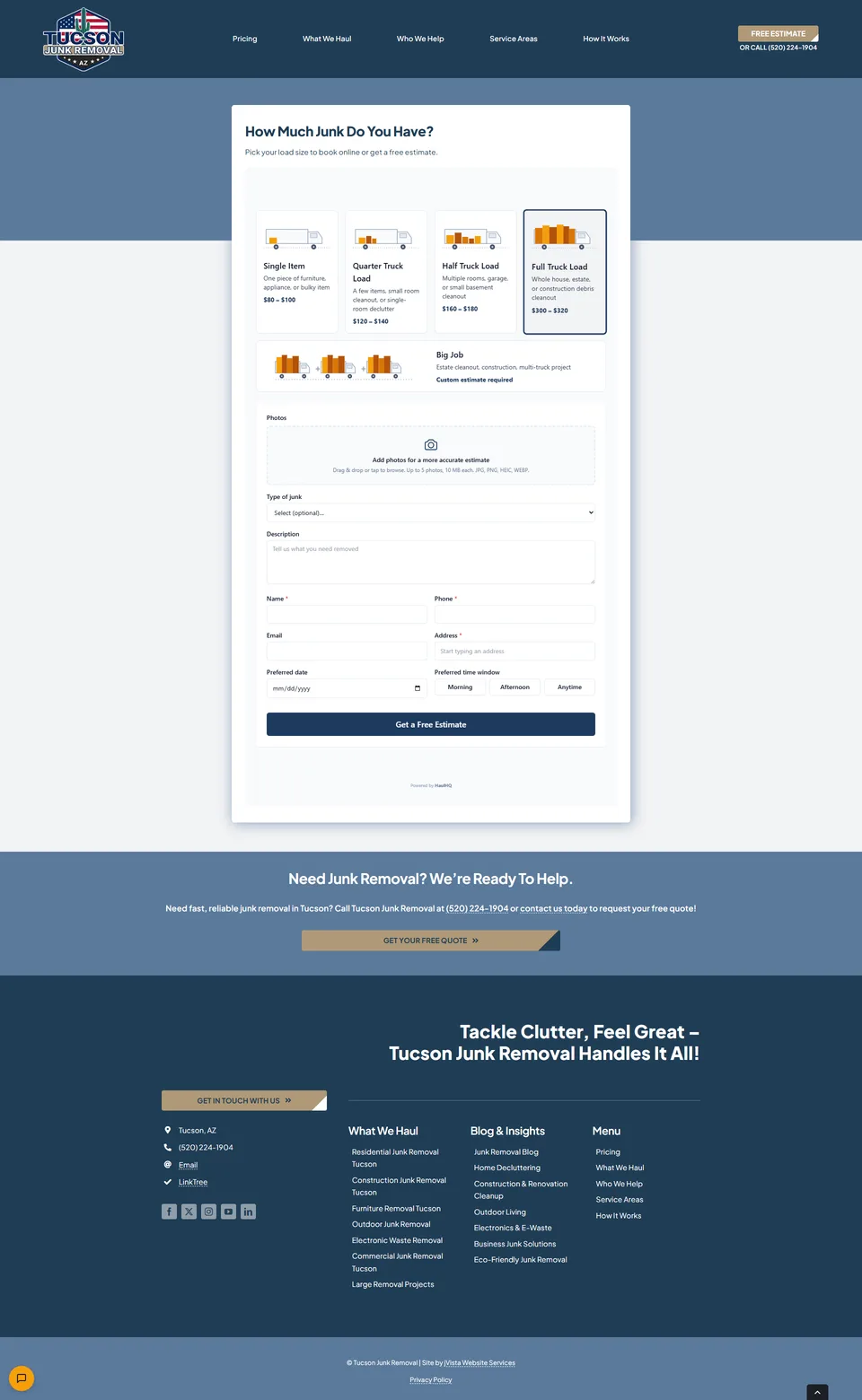
Any other site? Paste one tag.
If your site lets you add HTML, one copyable tag puts the HaulHQ quote and booking form, your reviews or your product list inside your page. No plugin, no key, nothing to connect. Leads land in your dashboard the same way.
<iframe
  class="haulhq-frame"
  src="https://yourname.haulhq.app/embed/form"
  title="Get a free quote"
  width="100%"
  height="700"
  style="width:100%;height:700px;border:0"
loading="lazy"></iframe>$20/mo unlocks the full website -- location pages for local SEO, customer stories, service pages, and more.
Dumpster rental software FAQ
Dumpster rental software is the system a roll-off operator uses to run the business end to end: tracking which containers are on the yard versus out on a job, taking online bookings against real availability, scheduling deliveries and pickups, managing rental periods and overages, and invoicing the customer. HaulHQ does all of that, plus junk removal if you run it, from one dashboard for $0/mo to start.
Yes. HaulHQ assigns every delivery, pickup, and swap to a driver and truck on one dispatch board. Drivers see their stops on their phone with one-tap navigation, and the board updates live as containers drop and haul. You run dispatch, inventory, rentals, and billing from the same place instead of stitching a dispatch tool to a separate billing tool.
Yes. HaulHQ is built for owner-operators and small fleets, not just national haulers. There is no monthly subscription, no per-user fee, and no minimum. You pay $1.50 per completed rental with your first 5 free, so a one-truck operation and a ten-truck operation both start at $0/mo. Unlimited drivers are included.
Every dumpster in your fleet is tracked in HaulHQ's equipment catalog by size, status, and current location. When you assign a container to a job, HaulHQ updates its status automatically: deployed, on-site, pickup scheduled, available. You always know how many containers are available and where every unit is sitting.
Yes. HaulHQ includes an online booking calendar that shows live container availability by size. Customers pick a dumpster size, select delivery and pickup dates, and book directly. No phone calls, no back-and-forth. The booking syncs to your schedule and updates inventory automatically.
HaulHQ costs $0/mo to start. You pay $1.50 per completed rental plus a 1.5% HaulHQ platform fee on card payments, on top of Stripe's own processing rate. All HaulHQ fees combined are capped at $149/mo for the dumpster rental service type. Your first 5 rentals are free. Unlike Docket, there is no sales call required to see the price, and there are never per-user fees.
HaulHQ sends automated reminders before a rental expires. If the customer extends, you approve it in one tap and HaulHQ auto-calculates the overage charges based on your daily rate. The extended period and extra charges appear on the invoice automatically. No manual math.
Docket is solid dumpster software, but it does not publish pricing, so you cannot find out what it costs without booking a sales call first, and it does not do junk removal. HaulHQ gives you transparent pay-per-job pricing ($0/mo to start), handles both junk removal and dumpster rental from one dashboard, includes a free branded website, and offers a WordPress plugin that Docket does not have. Both platforms handle container tracking, rental periods, and overage billing.
HaulHQ handles both verticals from one dashboard. Each service type has its own $149/mo fee cap. Toggle junk removal on in Settings and you get photo estimates, load-tier pricing, and crew dispatch alongside your dumpster operations.
Stop tracking dumpsters in a spreadsheet
5 rentals free. No credit card. Set up in 10 minutes.
Start free today